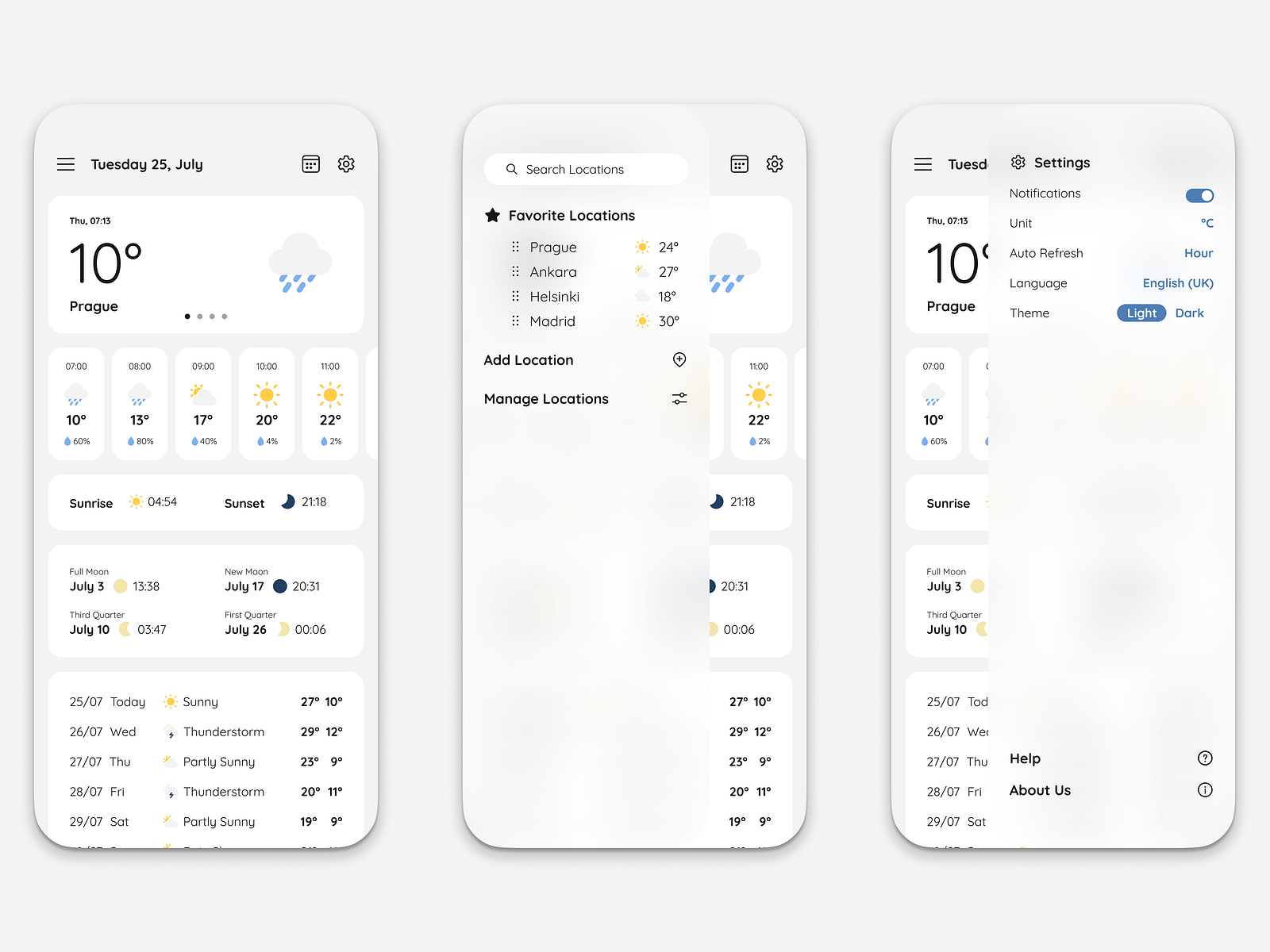
You’re standing at the bus stop, staring at your screen. The little cloud icon says 0% chance of rain. Then, a fat, cold droplet hits your forehead. Then another. Within thirty seconds, you’re soaked, your suede shoes are ruined, and you’re wondering why you even bother checking the forecast at all. It feels personal. It feels like the billion-dollar satellites and supercomputers are gaslighting you.
So, why is the weather app always wrong?
The short answer: it isn't actually "wrong" in the way we think it is. The long answer involves a chaotic mess of fluid dynamics, resolution gaps, and the weird way we humans interpret percentages. We expect our phones to be crystal balls. In reality, they are just high-speed guessing machines trying to simulate the entire atmosphere of Earth in a box.
The Resolution Gap: Your App Is Blind to Your Backyard
Most people don't realize that weather models don't see your specific street. They see the world as a giant grid of boxes.
Think about the American GFS (Global Forecast System) or the European ECMWF. These are the "Big Two" models that feed almost every app on your phone. The GFS, for instance, operates on a grid resolution of about 13 kilometers. That sounds precise until you realize that a massive thunderstorm can be only 5 kilometers wide.
If a storm develops inside one of those 13-kilometer squares, the model might "see" it, but it has no idea exactly where inside that square the rain will fall. It’s basically a pixelated image. Your house might be bone dry while the Starbucks three miles away is flooding. To the model, that entire grid square is just "partially wet."
Apple Weather (which swallowed the beloved Dark Sky) and The Weather Channel try to fix this with "nowcasting." They use local radar and high-resolution models like the HRRR (High-Resolution Rapid Refresh), which updates every hour and looks at 3-kilometer chunks. But even then, the atmosphere is a fluid. It’s moving. It’s swirly. Predicting exactly where a convective cell—that’s a fancy word for a thunderstorm—will pop up in the next twenty minutes is like trying to predict exactly where the first bubble will break the surface in a boiling pot of water. You know it’s gonna boil. You just don't know where the bubble starts.
That 30% Chance of Rain Doesn't Mean What You Think
This is the biggest point of confusion in modern meteorology. If you see a "30% chance of rain" on your app, you probably think there’s a 70% chance you’ll stay dry.
Nope.
Meteorologists use a formula called Probability of Precipitation (PoP). The math is $PoP = C \times A$.
- C is the confidence that rain will develop somewhere in the area.
- A is the percentage of the area that will receive measurable rain.
If a forecaster is 100% sure that it will rain, but only in 30% of the city, the app shows 30%. Conversely, if they are only 50% sure it will rain at all, but if it does, it’ll cover 60% of the city, the app also shows 30%.
It’s a measure of probability and coverage mashed together. It is not a promise of "dryness." When you say "the weather app was wrong because it rained during a 10% chance," you actually just experienced that 1 in 10 statistical reality.
The "App Effect" vs. Real Meteorologists
There is a massive difference between a weather app and a weather forecast.
Most apps are "model-pure." This means there is no human being involved. A computer runs an algorithm, spits out a number, and that number goes straight to your screen. Computers are great at math, but they’re bad at understanding local "weirdness."
For example, if you live near a mountain range or a large lake, there are microclimates that global models simply can't grasp. A human meteorologist at the National Weather Service (NWS) knows that "hey, when the wind blows from the southwest in October, this specific valley always gets fog." The app doesn't know that. It just sees a grid.
Why does Apple Weather say one thing and Google say another?
They use different "brains."
- IBM/The Weather Channel: They use a proprietary model called GRAF (Global High-Resolution Atmospheric Forecasting System). It’s huge on "crowdsourced" data, even using pressure sensors inside millions of iPhones to track tiny changes in the atmosphere.
- AccuWeather: They have their own secret sauce and focus heavily on "RealFeel," which tries to quantify human discomfort rather than just temperature.
- Apple Weather: They use a mix of NWS data, their own acquisition of Dark Sky, and radar interpolation.
Because each company weighs different variables—humidity vs. wind vs. historical trends—they often disagree. When they disagree, we feel like they’re all lying to us.
The Chaos Theory Problem
Edward Lorenz, a mathematician and meteorologist, famously coined the term "The Butterfly Effect." He found that even the tiniest decimal point error in initial data—like the temperature being 72.01 degrees instead of 72.02—could lead to a completely different forecast seven days later.
The atmosphere is a non-linear system. It is chaotic.
When you ask, why is the weather app always wrong, you have to look at how far out you're looking.
- 1–3 Days: Incredibly accurate. We are better at this than ever before.
- 5–7 Days: Pretty good, but subject to shifts in storm tracks.
- 10+ Days: Honestly? It’s basically astrology for nerds.
Any app that tells you it’s going to rain at 2:00 PM two weeks from Tuesday is lying to you. The science doesn't exist to support that level of precision. The errors compound. By day ten, the "noise" in the data has drowned out the actual signal.
Is Your Phone Over-Promising?
There’s a bit of a marketing problem here. Apps want to look "high-tech." They give us "hyper-local" minute-by-minute breakdowns. "Rain starting in 7 minutes," the notification says.
This creates an illusion of certainty.
When the rain starts in 12 minutes instead of 7, we call it a failure. If the rain misses us by a block, we call it a failure. In the 1990s, if the local news guy said it would be "mostly cloudy" and it stayed mostly cloudy, we called that a win. Our expectations have scaled faster than the technology has.
We also have a psychological bias called the Negativity Bias. You don't remember the 200 days the app said it would be sunny and it was. You only remember the Saturday morning when your outdoor wedding was ruined because the app promised a clear sky. We count the hits and ignore the misses.
How to Actually Use Your Weather App Without Getting Mad
Stop looking at the icons. The little sun-behind-a-cloud icon is a blunt instrument. If you want to know what’s actually happening, you have to look deeper.
1. Check the Radar.
This is the only way to see the "truth." If you see a big green and yellow blob moving toward your GPS dot, it’s going to rain. Apps like RadarScope or MyRadar give you the raw data that the pros use. If the "forecast" says clear but the radar shows a storm ten miles away moving east, trust the radar.
2. Look at the "Discussion."
If you use the National Weather Service website (weather.gov), look for the "Area Forecast Discussion." This is a plain-text note written by an actual human meteorologist. They will say things like, "The models are struggling with this cold front, so confidence is low." That’s way more valuable than a "40%" icon.
3. Use Multiple Sources.
If The Weather Channel, AccuWeather, and the Euro model all agree that a blizzard is coming, buy bread and milk. If they all say something different, it means the atmosphere is in a state of high uncertainty.
The Future: AI and Better Eyes
The reason the weather app feels wrong today is often a data gap. We have huge "dead zones" in the ocean where we don't have enough sensors.
But things are changing.
Newer satellites, like the GOES-R series, are sending back data at a resolution we’ve never seen. Companies are now using AI to "smooth out" the models. Instead of just running the math once, AI can run thousands of "ensemble" forecasts in seconds, identifying the most likely outcome by seeing where most of the simulations land.
Google’s GraphCast is a prime example. It’s an AI model that can predict weather variables 10 days out in under a minute, often with better accuracy than the traditional giant supercomputers. It doesn't "solve" the physics; it learns the patterns of how weather has behaved in the past.
Actionable Tips for Accuracy
- Don't trust anything past day 7. Use it for general planning, but don't bet money on it.
- Watch the "Dew Point." If the dew point is over 60, it’s going to feel muggy. If it’s over 70, expect "pop-up" thunderstorms that apps struggle to predict.
- Understand your geography. If you're on the coast, the "onshore flow" can bring clouds that models often miss.
- Ignore the "Minute-by-Minute" features. They are statistically noisy and often lead to "false precision" frustration.
Weather is the most complex physical system humans try to predict daily. The fact that we get it right 80% of the time is a miracle. The fact that your phone can even attempt it is a feat of engineering.
Next time your app fails you, just remember: it’s not lying. It’s just trying to solve a trillion-variable equation using a map made of giant blocks, while a butterfly in Brazil is actively trying to ruin the math.
To get the most reliable info, ditch the flashy animations. Find a high-resolution radar, look for the "NWS Discussion," and always keep a cheap umbrella in your trunk, regardless of what the little cartoon sun says.